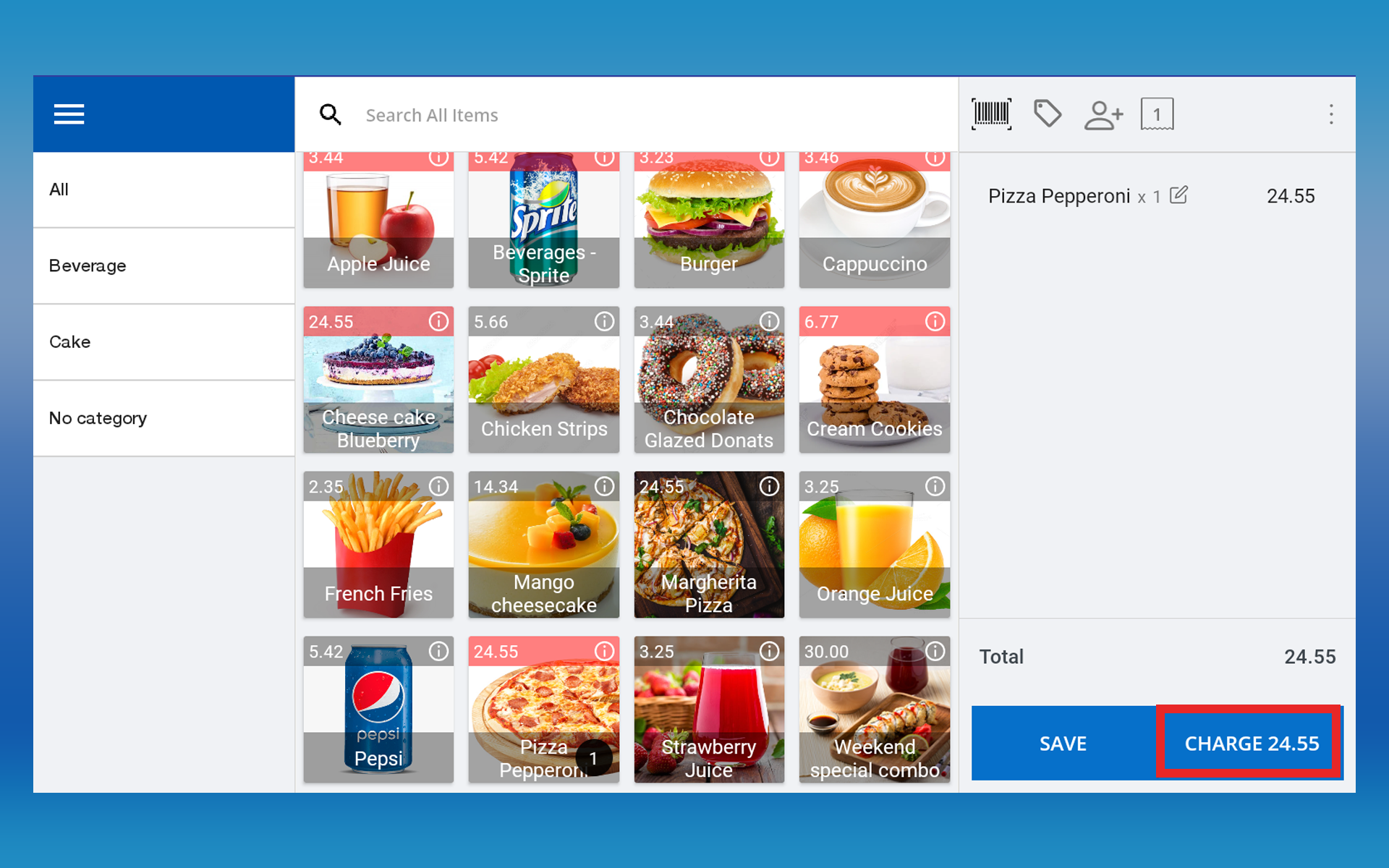
In this guide, you will learn how to create and use credit notes to facilitate product exchanges in SalesPlay POS.
What Is a Credit Note?
In a POS system, a Credit Note is a document generated to record the value of goods returned by a customer. It serves as a credit to the customer’s account, allowing them to use the credited amount for future purchases. Its purpose is to acknowledge returns and facilitate smooth exchanges or refunds.
- Exchanges are performed based on business policies. Some stores may not allow exchanges.
- If the customer has no receipt, gather product details, purchase date, and customer info to locate the original receipt.
- To exchange an item, create a Credit Note first, give it to the customer, then apply it as a payment method during the new sale.
- The Credit Note option must be activated via Back Office first.
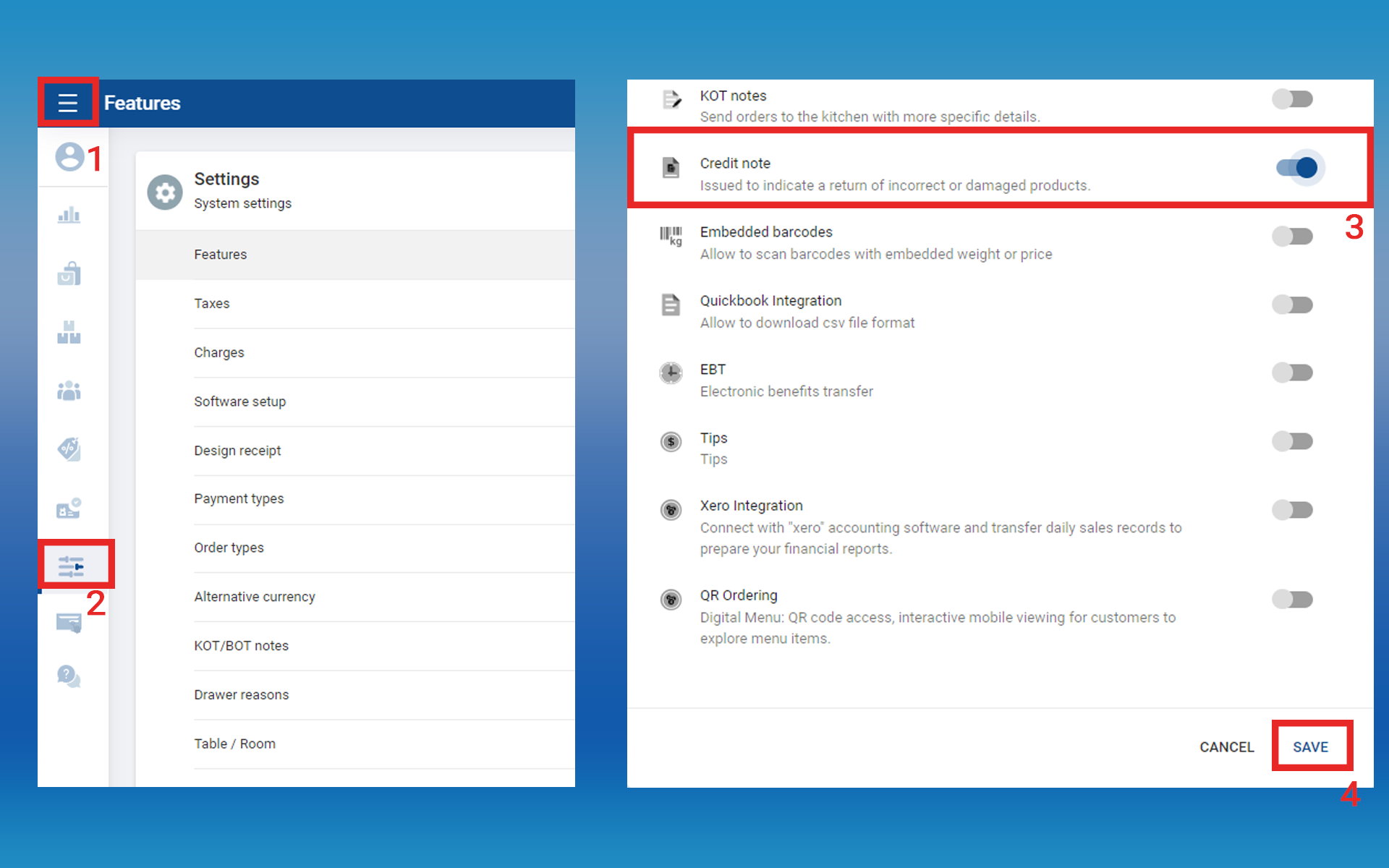
Step By Step Process to Create and Use Credit Notes
Example: John bought a pair of shoes but needed a different size. The sales staff used the POS system to create a credit note for the returned shoes, providing John with a printed copy. John then selected the correct size, and the staff used the credit note as a payment method during the new transaction.
Steps:
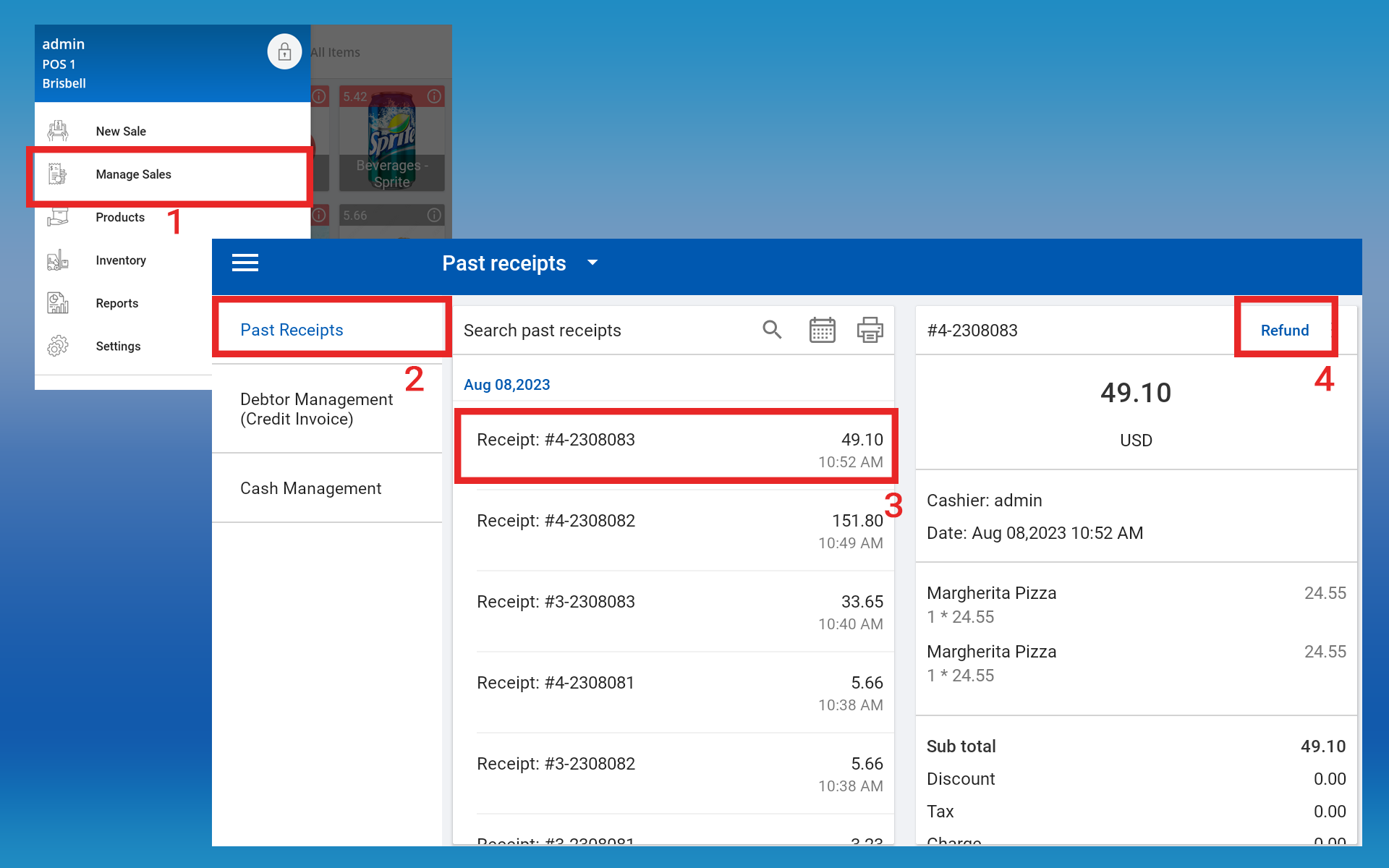
- POS App main menu → Select Manage Sales
- Click Past Receipts
- Select the relevant receipt (via calendar or search)
- Click the receipt → Click Refund button
- Select the item(s) for exchange → Click CREDIT NOTE
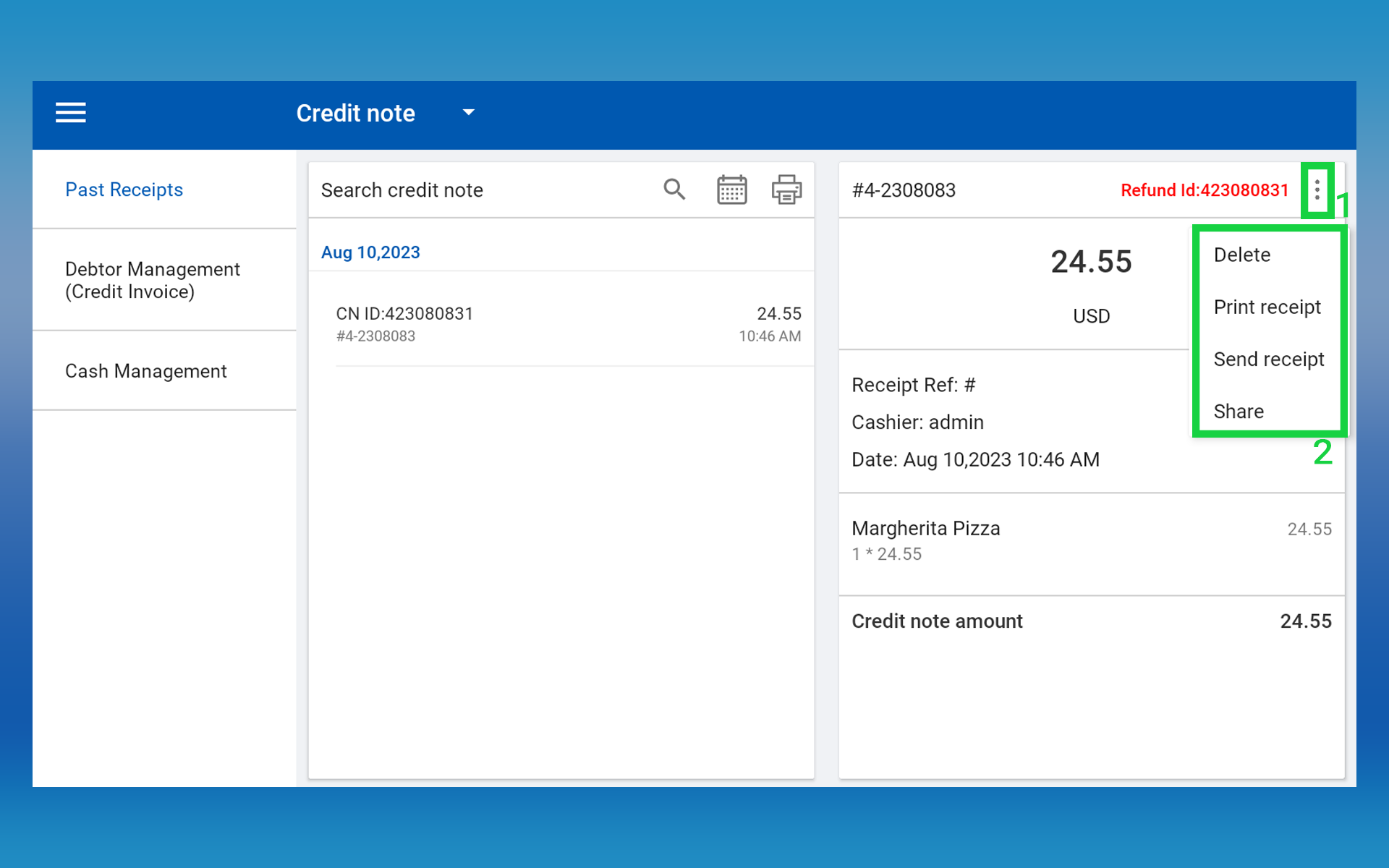
A Credit Note will be printed with a unique ID.
Print, Send, or Share the Credit Note
This allows the customer to present the credit note at the billing counter for the exchange.
Proceed with the New Sale
The cashier creates a new transaction for the exchange, adding the new items to the bill. During billing, select Credit Note as the payment method and enter the Credit Note ID from the printed receipt.
- POS App main menu → Select New Sale
- Add new items → Click Charge
- In Payment Interface, select Credit Note as payment type
- Enter the Credit Note ID (from the printed receipt)
- Click OK and complete the transaction