Quick and Insightful View of Your Business Performance
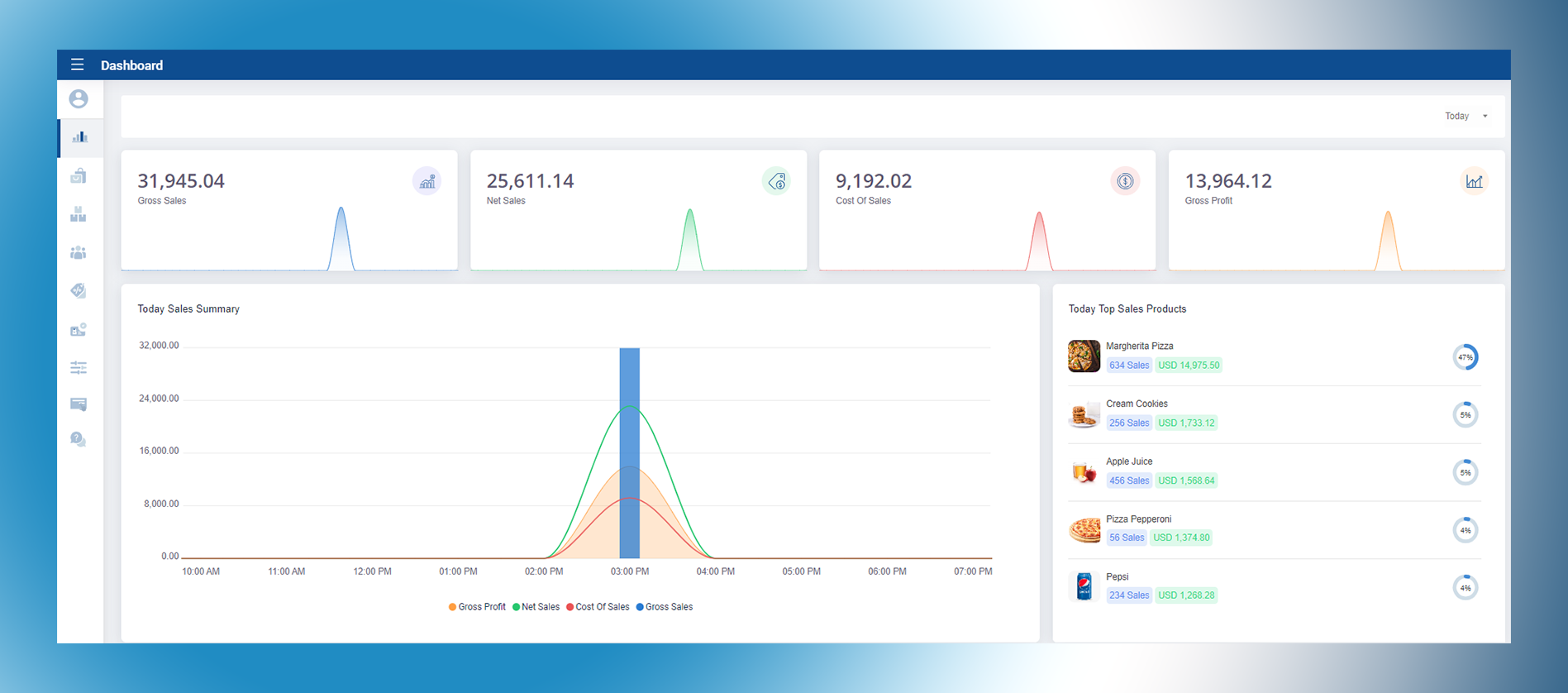
The SalesPlay Dashboard provides a quick and insightful view of your business performance.
With a user-friendly interface and powerful features, the dashboard delivers real-time visibility into
crucial financial metrics, empowering you to make informed decisions and drive business success.
The dashboard presents a snapshot of key financial indicators, including:
- Gross Sales
- Net Sales
- Cost of Sales
- Gross Profit
These metrics help you understand revenue generation, profitability, and cost management at a glance,
allowing you to quickly assess the overall health of your business.
The dashboard also allows you to filter data by specific time frames such as:
- Today
- Yesterday
- This Week
- This Month
- Last Week
- Last Month
This flexibility enables you to analyze trends, monitor progress, identify patterns, and respond
promptly to changing market conditions.
Additionally, the dashboard highlights Top Sales Products, giving you insights into your
most popular and profitable items. This helps optimize inventory management, plan promotions effectively,
and focus on products that drive revenue growth.
Proactive Measures to Minimize Deductions
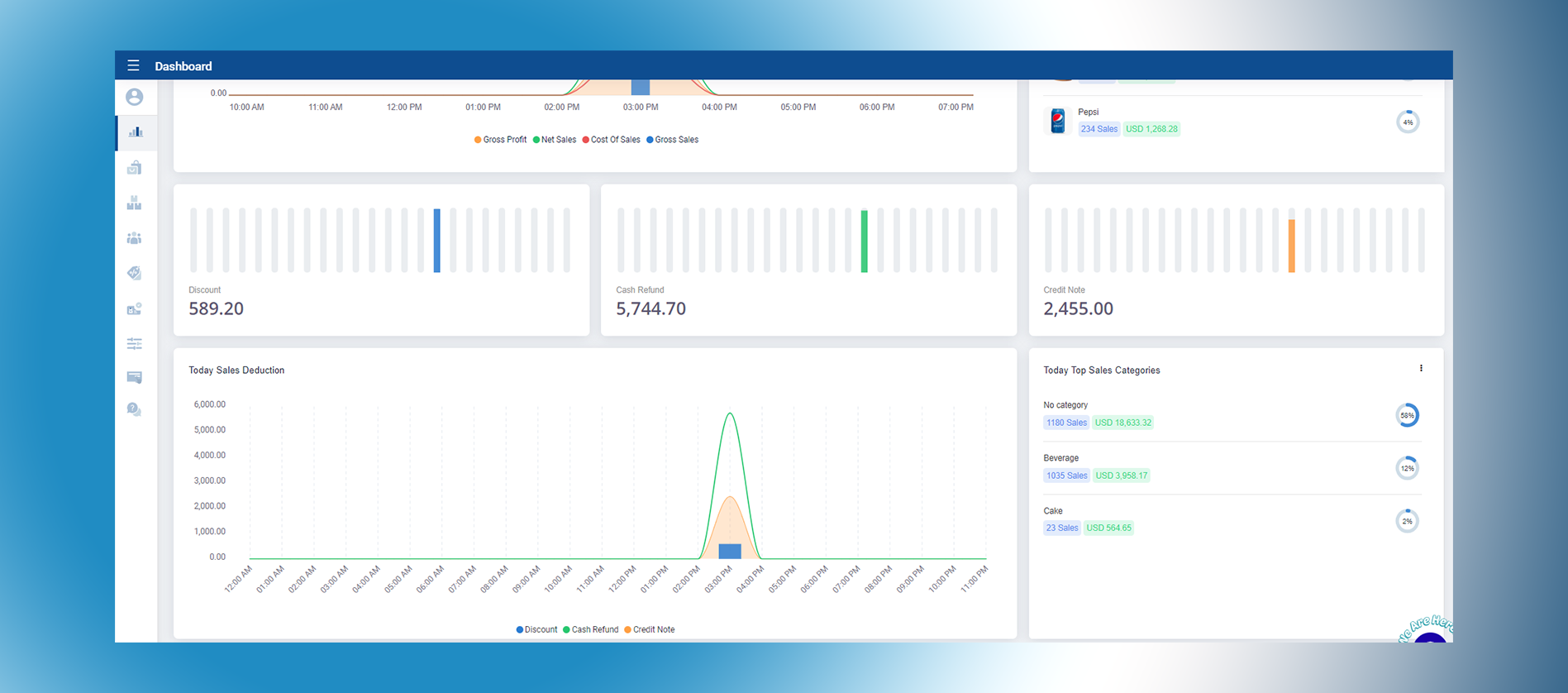
In addition to core financial metrics, the Sales Dashboard provides insights into:
- Discount Usage
- Cash Refunds
- Credit Notes
- Sales Deductions
Tracking discount usage allows you to evaluate how promotions impact revenue and profitability.
By analyzing discount trends, you can fine-tune pricing strategies and optimize campaigns for better results.
Monitoring cash refunds and credit notes helps you maintain strong customer service standards
while identifying patterns that may require attention. This enables you to refine return and refund
policies to improve customer satisfaction.
Sales deductions, including returns, allowances, or damaged goods, provide visibility into operational
inefficiencies. By regularly reviewing these metrics, you can take proactive steps to improve product
quality control, reduce losses, and enhance overall profitability.