• Point of Sale
  • Categories
    • Getting Started with SalesPlay
    • Web POS
    • Sales
    • Product
    • Inventory
    • User
    • Customers
    • Reports
    • Settings
  • Community
  • Point of Sale
  • Categories
    • Getting Started with SalesPlay
    • Web POS
    • Sales
    • Product
    • Inventory
    • User
    • Customers
    • Reports
    • Settings
  • Community
Home/Knowledge Base/Reports/Shift Report with Sales Summary in SalesPlay

Shift Report with Sales Summary in SalesPlay

February 12, 2026 Updated on February 17, 2026

What Is the Shift Report with Sales Summary?

  • The Shift Report with Sales Summary is an essential tool for all types of businesses.
  • It provides a clear and concise overview of sales activity during a specific shift.
  • The report captures important financial and operational data to ensure transparency and accountability.


Key Details Available in the Shift Report

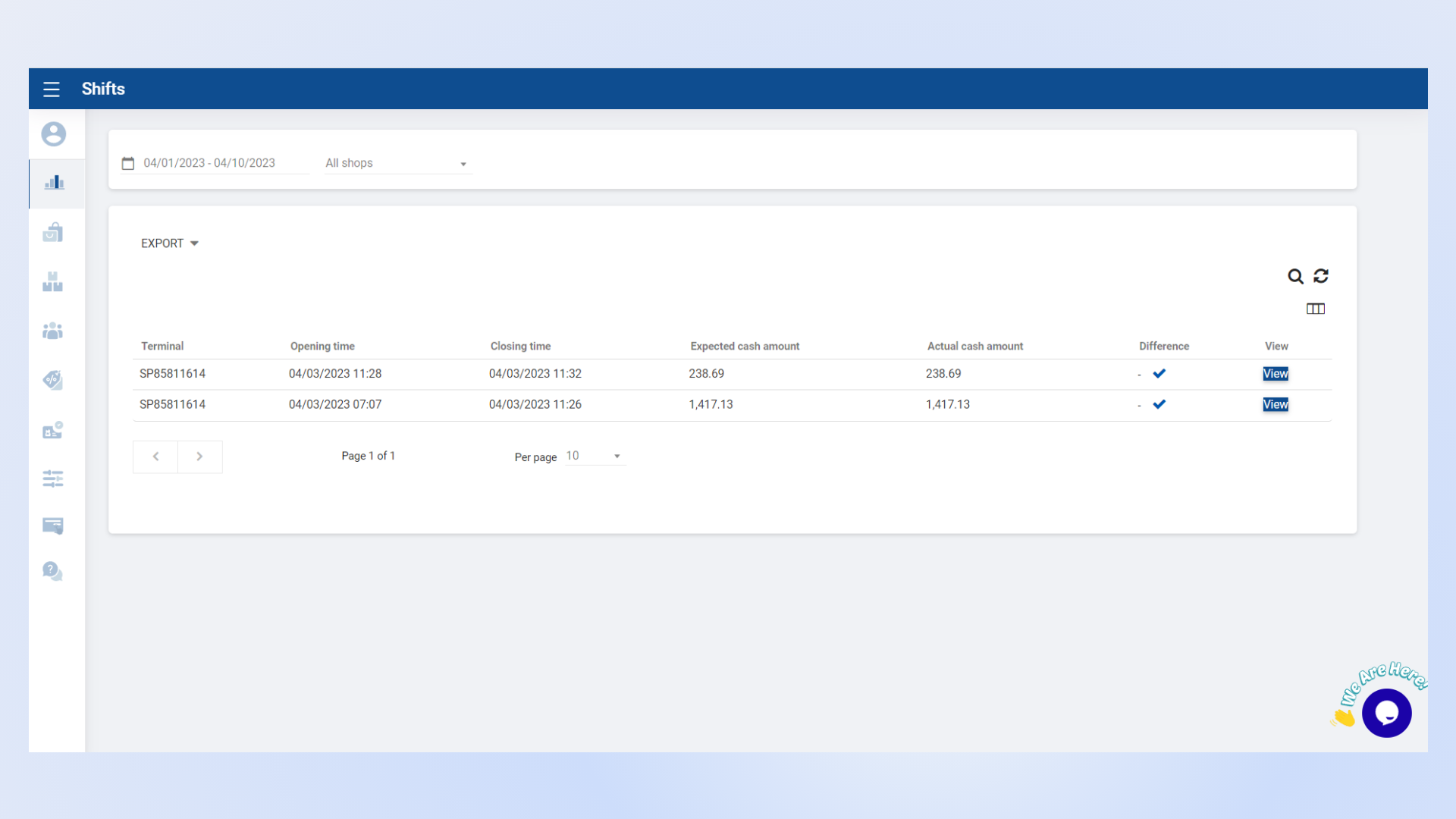
  • The Shift Report provides valuable sales insights, improves cash management, and ensures financial accuracy.
  • The report includes the following information:
    • Opening Time
    • Closing Time
    • Accepted Cash Amount
    • Actual Cash Amount
    • Cash Difference


Comprehensive Shift Report View

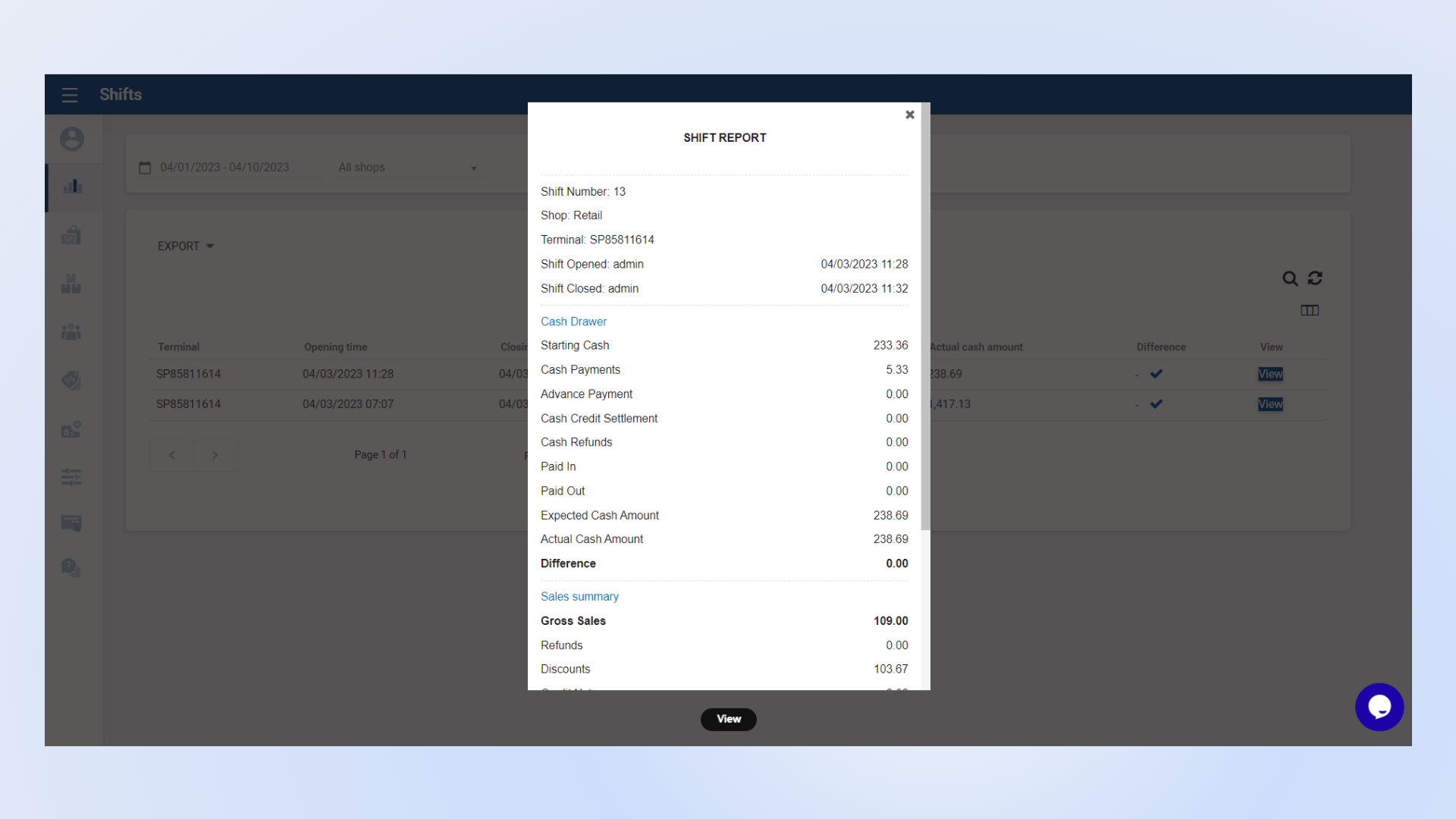
  • SalesPlay allows you to view a detailed report for a specific shift.
  • The report includes cash drawer information along with a complete sales summary.
  • This ensures better shift management, accurate reconciliation, and improved financial control.


Detailed Shift Report with Cash Drawer Summary

Was this helpful?

1 Yes  No
Related Articles
  • Shift History Report
  • Time Clock Report
  • Cash Rounding Report
  • Deleted Receipts Report
  • Inventory Expiry Report
  • Dashboard

No luck finding what you need? Contact Us

Popular Articles
  • Number of Pax Feature
  • Set Up Customer Display App
  • Dynamic QR Code Payment
  • QR Ordering System Guide for SalesPlay POS
  • How to Setup KOT Printers in SalesPlay POS
KB Category
  • Affiliate Program
  • Customer Orders
  • Customers
  • Distributor Referral
  • Getting Started
  • Inventory
  • Loyalty
  • Payment
  • Product
  • Reports
  • Sales
  • Settings
  • Setup
  • User
  • Web POS

Still need help?

Contact Us

Our support team is
here for you!

Ask the Community

Connect and get answers
from fellow SalesPlay POS users.

Asset-3-3.webp
  • Privacy Policy
  • Terms & Conditions
  • Return & Refund Policy
Asset-3-3.webp
  • Privacy Policy
  • Terms & Conditions
  • Return & Refund Policy