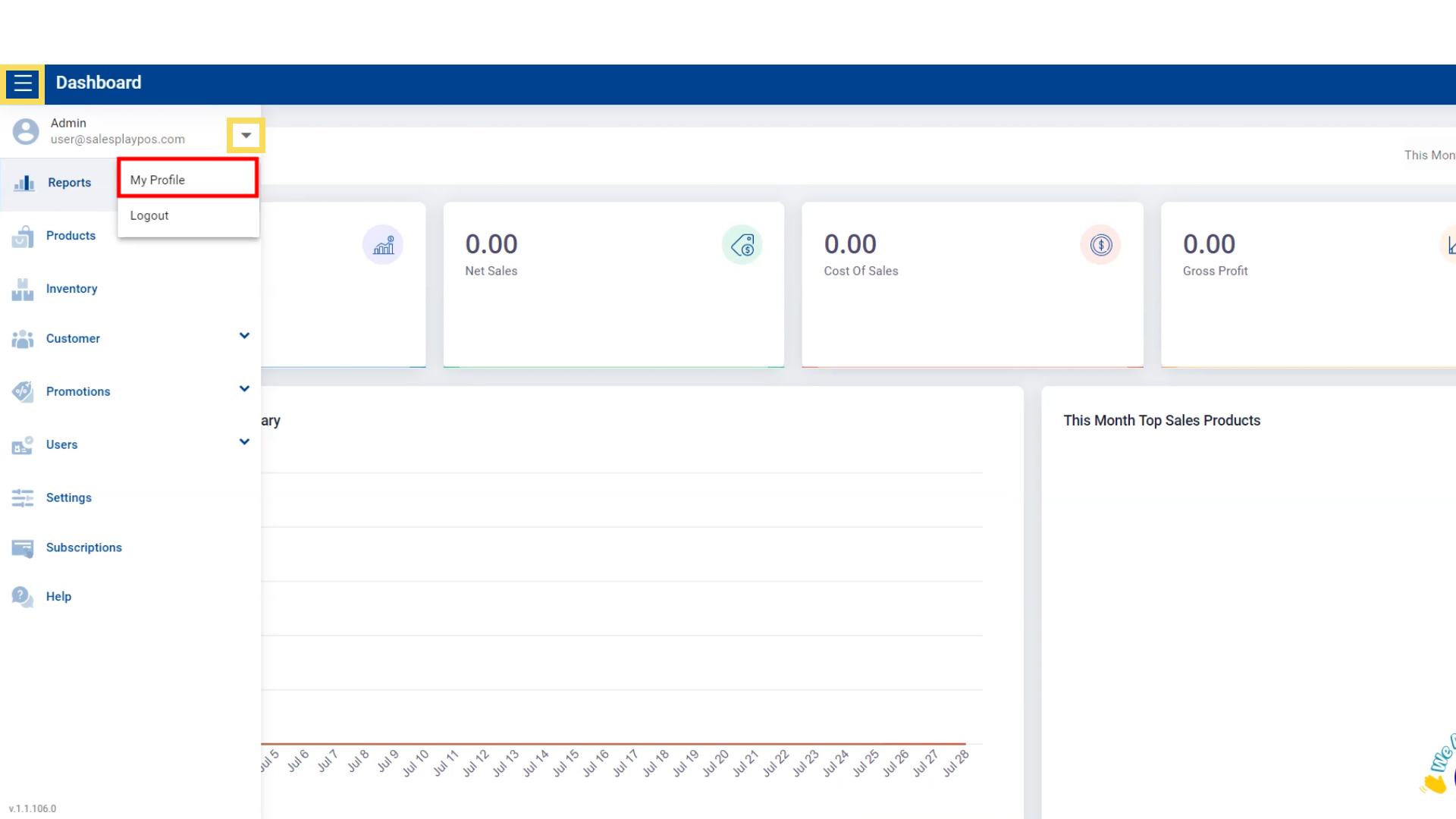
1. Go to ‘My Profile’
Navigate through the back office to edit your profile information:
- Go to Main Menu.
- Select the Admin profile section.
- Click on My Profile.
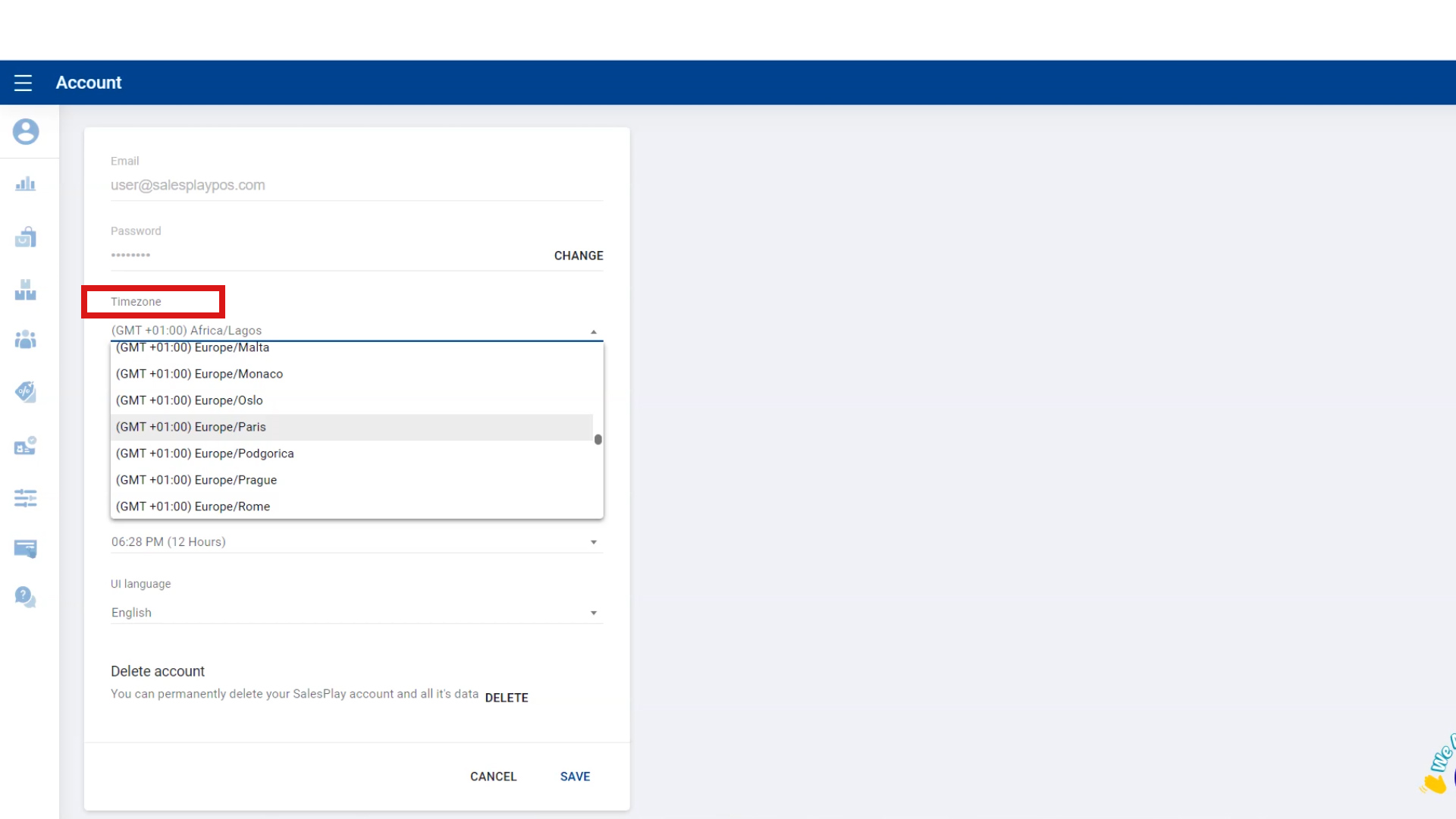
2. Change Timezone
Adjust your timezone to ensure accurate transaction and report timing:
- Go to Timezone, click the dropdown menu, and select your timezone.
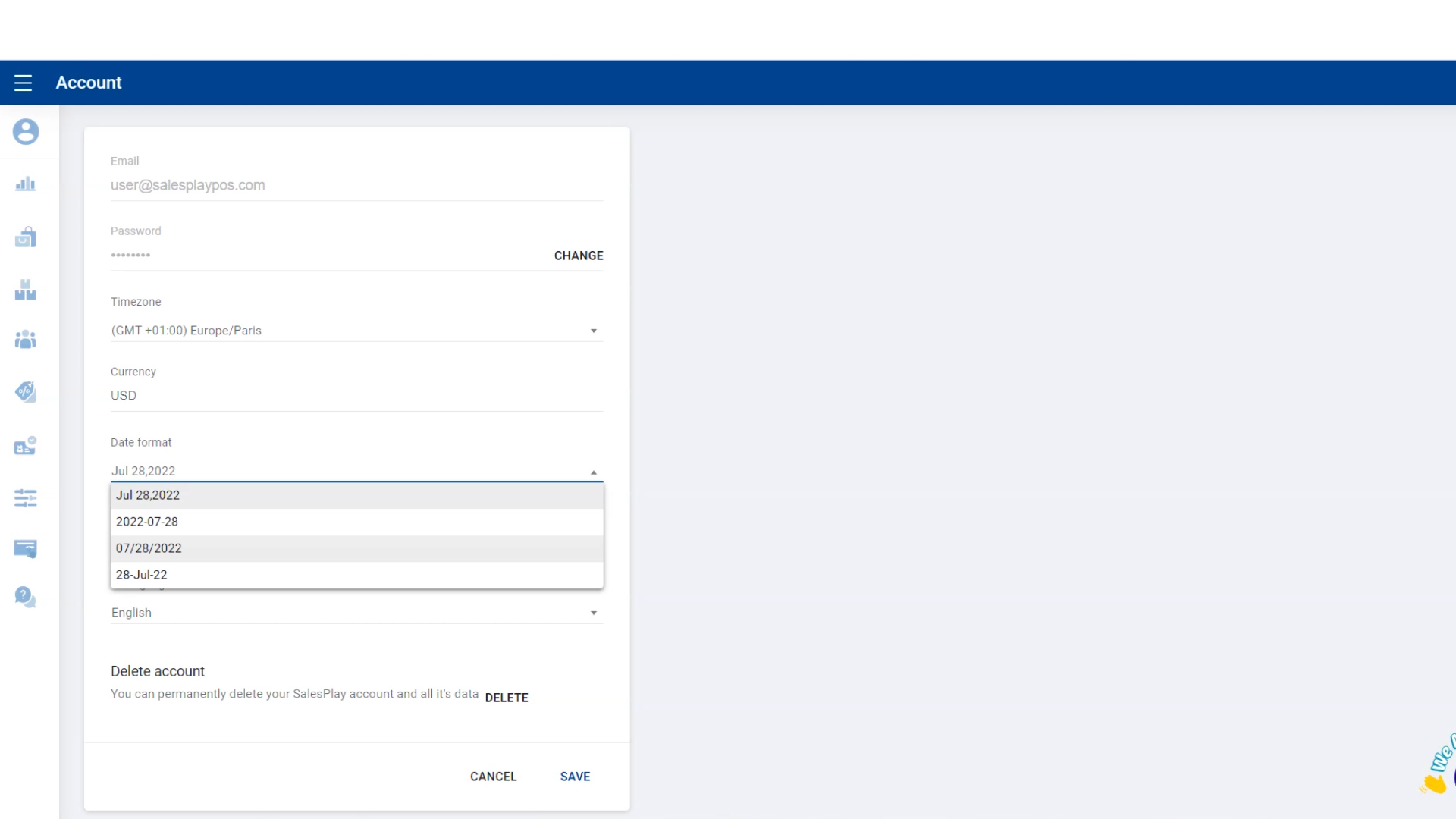
3. Change Date Format
- Go to Date Format, click the dropdown menu, and select your preferred format.
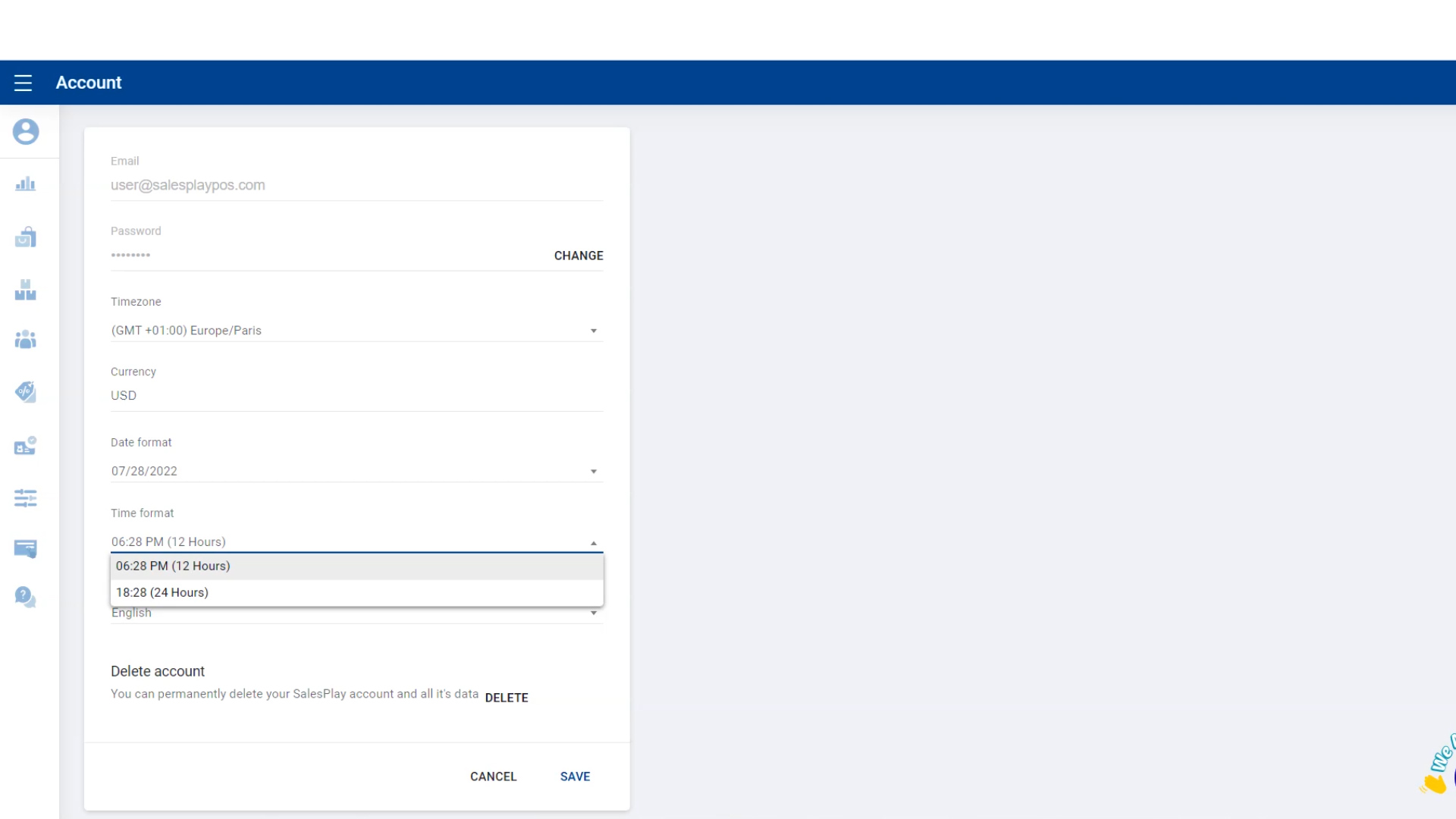
4. Change Time Format
- Go to Time Format, click the dropdown menu, and select the format you want.
5. Change the Language
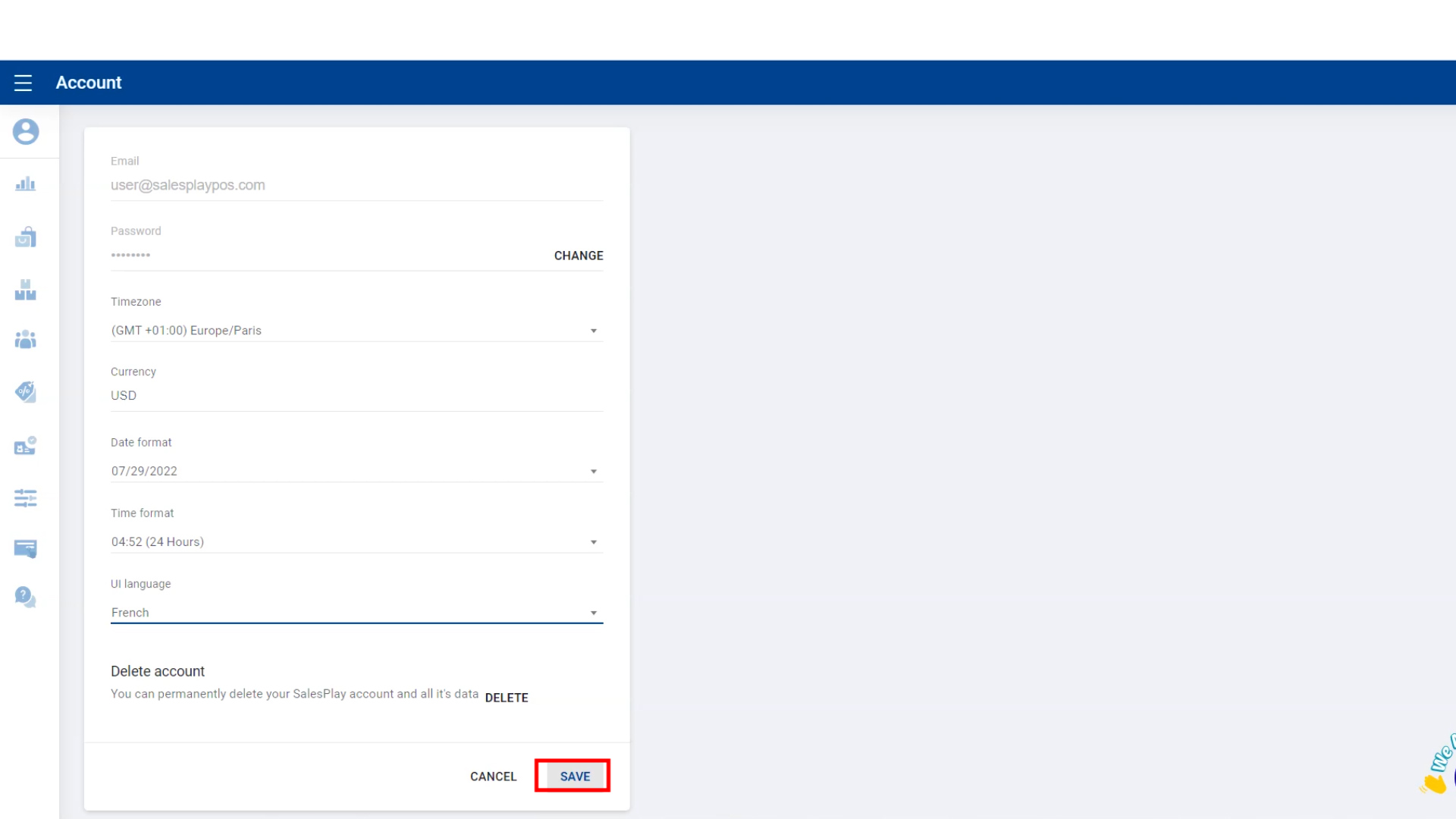
- Go to UI Language, click the dropdown menu, and select the language you want for the POS interface.

6. Save Changes
- Click the SAVE button to apply all updates.